
Search guides and reference sections.
Relay / Developer documentation
Exports
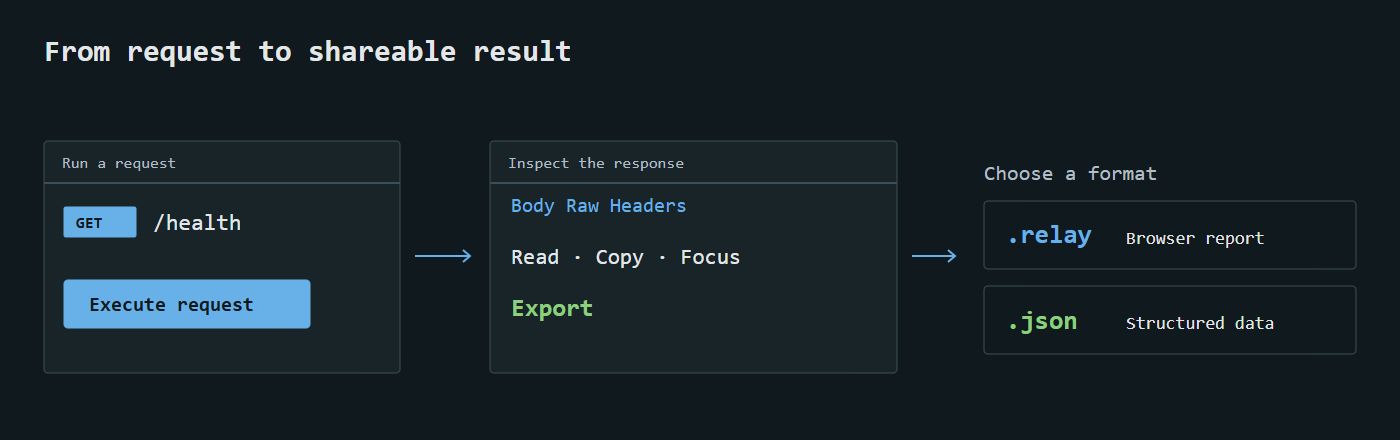
Export beside Execute offers Relay (.relay) or JSON (.json); it never sends a request. Both include endpoint details/contract/progress, current inputs/body and latest captured response. Current inputs are separate because they may have changed since execution. No result means latest_response: null.
Structured data uses relay.endpoint, version 1. Report marker is relay.endpoint.report.v1. These are Relay formats, not Postman collections; import-as-executable-collection is not included.
Responses preserve timestamp, URL/method, status, headers, raw body, timing, bytes and truncation. Invalid custom headers export as null plus header_error; unfinished body text can be exported. Report JSON is formatted for reading, with expandable contract/full-data sections.
Session credentials are omitted; recognizable authorization/cookie/token/secret/API-key custom headers are redacted. Bodies, parameters and response contents remain exact in structured data and can contain secrets. Truncation means the retained preview, not a complete server body.
Open offline
Python users use the relay command; Node users can run npx relay-backend open "/path/to/api.relay". Both open the same portable report format.
relay open "/path/to/api.relay"
The opener validates UTF-8 HTML/report marker, caps files at 32 MiB, copies to ~/.relay/reports/<hash>.html, then opens your default browser. Original reports remain intact; cached copies persist until removed. No backend/server is needed.
Windows double-click registration with the Python package:
relay associate
Registration is per-user and references the current Python environment; keep Relay installed there. Another application's association is not overwritten. Windows UserChoice is not bypassed; choose Relay explicitly in Open with if needed. macOS/Linux use relay open; automatic desktop association is outside v0.0.3.
Reports embed font/brand assets, contain no scripts, and prohibit external resources through CSP. Recipients without Relay can copy the HTML-based report to a .html filename and open that copy. A custom extension cannot itself install an OS association.